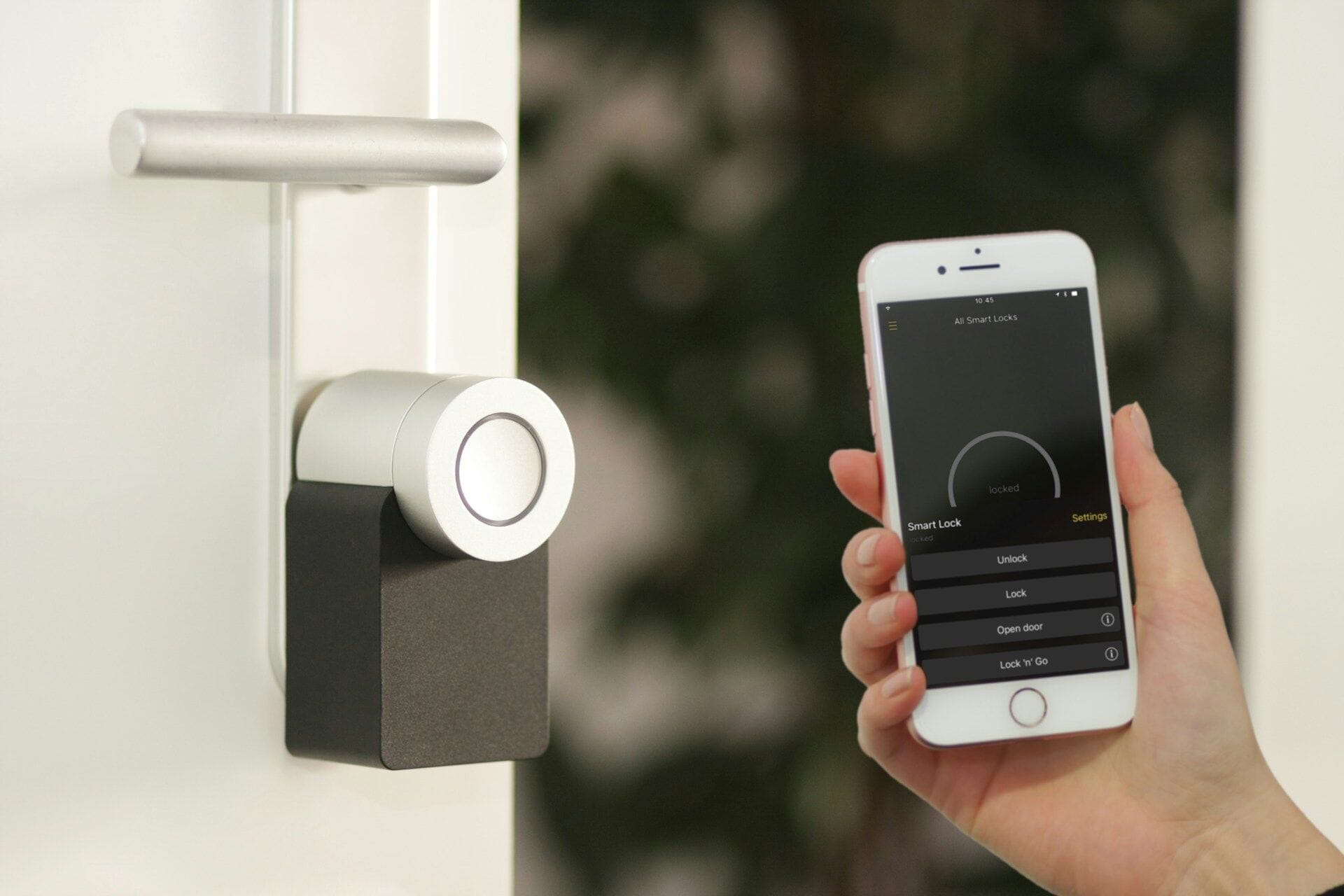
In this post, we explain four things. What stops working without Wi-Fi. What still works. What real cases teach us. And what to check before you buy.
What stops working without Wi-Fi?
Some features need the internet. They work through the lock company’s computers on the internet. We call these computers “servers”. Without Wi-Fi, these features stop:
- Opening the door with your phone when you are far away
- Alerts on your phone
- Adding or changing codes from far away
- Voice control, such as Amazon Alexa or Google Assistant
Schlage is a lock brand. Its help page shows this clearly. Sometimes its Encode Wi-Fi locks lose their Wi-Fi link. Then the app shows “Unreachable”. Schlage says you may not be able to lock or unlock from far away. You may not be able to manage codes in the app. You may also stop getting alerts (Schlage support).
August is another US smart lock brand. It says the same thing in its product table. Opening from far away “Requires Wi-Fi Connection”. Control by Alexa and Google Assistant also “Requires Wi-Fi” (August: How it works).
So, do smart locks need Wi-Fi? Only for these extras from far away. The lock itself is a different story.
Practical takeaway: Before you buy, list the features you really need. Maybe you never open the door for anyone from far away. Then you may not need a Wi-Fi lock at all.
What still works when the Wi-Fi is down?
Anything saved inside the lock keeps working. That means PIN codes, fingerprints, cards and the normal metal key. Your phone can also still open some locks when you stand near the door. It uses Bluetooth, a short-distance link between phone and lock.
This works because many locks save your codes and fingerprints inside the lock, not on the internet.
Yale’s user guide for its YDM4109 digital lock is one example. It shows how to save up to 100 fingerprints and 100 PIN codes. You do this on the lock itself. The Bluetooth part for the Yale app is extra. You buy it only if you want it. The guide also lists an emergency metal key. It also shows a spot to touch a 9V battery if the lock’s batteries run flat (Yale YDM4109 manual). So this lock is a smart lock without internet from the start. You add the internet link only if you want it.
Lockly is a smart lock brand from the USA (Lockly). Its help page says your fingerprints are saved on the lock itself. They are saved in a secret code form, not as pictures (Lockly support).
The August table also shows that every August lock can open by Bluetooth when you stand near it. No internet is needed (August: How it works).
Europe also has a written guide for smart door locks. It is called ETSI TS 103 815. It says a smart lock must keep working at the door when the internet is lost. It must also go back to normal when the internet comes back (ETSI TS 103 815). In simple words: no internet should not mean no entry.
Practical takeaway: Give every family member their own PIN or fingerprint on the lock. Then nobody needs only the phone app to get in. Worried about hacking? A lock that never goes online is harder to attack. We explain this in Can a smart door lock be hacked?
Can a smart lock fail because of Wi-Fi or internet problems?
Yes, the smart features can fail. App features work through the lock company’s servers. Sometimes those servers stop working. A well-made lock still opens at the door. A badly made lock can stop working at the keypad too. That is why a key or another backup is important.
On 20 October 2025, Amazon’s internet computer service broke down. It is called Amazon Web Services, or AWS. Thousands of apps use it. When it broke, many apps could not reach their servers. So many smart home products stopped working. The news site Matter Alpha said the problem lasted about 15 hours. It started at one of Amazon’s big computer centres in the USA. Alexa and Ring went offline. But some homes had smart systems that work inside the house, without the internet. Matter Alpha said those homes “were unaffected”. Some SmartThings users could not use their phone app. But their automatic settings at home kept running (Matter Alpha).
The LockState case in August 2017 was worse. LockState is a smart lock company. It sent a bad software update to its older 6000i Wi-Fi locks. The locks were also sold through an Airbnb program for hosts. About 500 locks were hit. The keypads stopped working. The locks could not connect to the company’s servers again. So the company could not fix them over the internet. Owners had to post part of the lock back for repair. That took 5 to 7 days. Or they could wait 14 to 18 days for a new one. The normal keys still worked (BleepingComputer). One Airbnb host kept his keys in a small key box in the hallway. He told TechCrunch he could still open his doors because of this (TechCrunch).
The lesson from both cases is simple. You cannot control the internet. A smart door lock offline should still work as a lock.
Practical takeaway: Choose a lock that opens without the app. Keep the metal key in a safe place you can reach from outside, like that host’s key box. Do you rent out a unit? Plan how guests can get in if the app stops working. Our Airbnb lock notes cover the basics.
What should I check before buying?
Ask one simple question: “If my internet is down, how do I open this door?” Then check these five points:
- PIN codes saved on the lock. PIN codes and fingerprints should be saved inside the lock, not only on the internet. The Yale and Lockly examples above work like this.
- A metal key and/or a 9V emergency battery point. The key is your last backup if the electronic parts fail. LockState owners learned this. The 9V point helps when the batteries are flat.
- Bluetooth for using your phone near the door. Bluetooth lets your phone talk to the lock directly, without internet.
- No internet needed to unlock. Ask the seller if any way of opening needs the company’s servers. The answer you want is “no”.
- Test every way of opening with the Wi-Fi off. Ask the seller to switch off the Wi-Fi. Then ask to see the PIN, fingerprint, card and key working.
Practical takeaway: If a seller cannot answer these five points clearly, look at another lock.
Closing tip
Once in a while, switch off your home Wi-Fi for ten minutes. Then open your door in every way your family uses. If one way fails, you find out on a calm day. Not at midnight in the rain.
Practical takeaway: Make this test a habit. For the bigger safety picture, read Are smart door locks safe? A straight answer from a Kuching locksmith.
Leave a Reply